Car Auto Sync for Android
One Music PlayerAuto & Vehicles
4.212.00 Reviews
- Version
- 3.1.0
- Installs
- 500.00K
- Age Rating
- Everyone
Screenshots
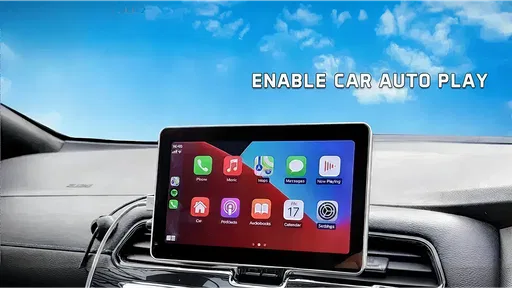
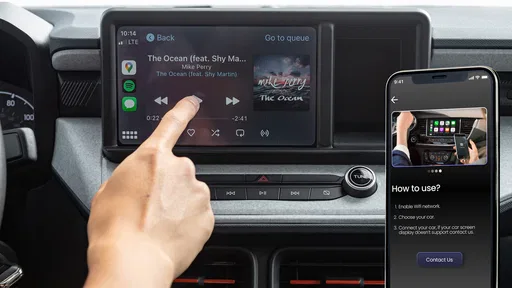
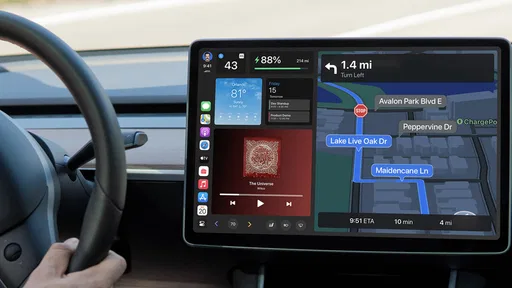
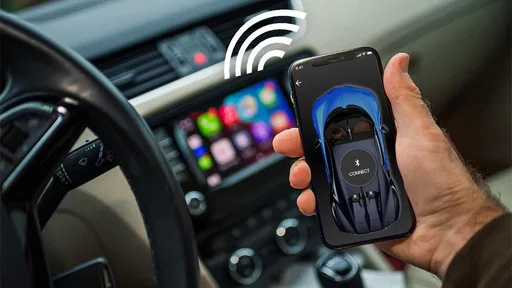
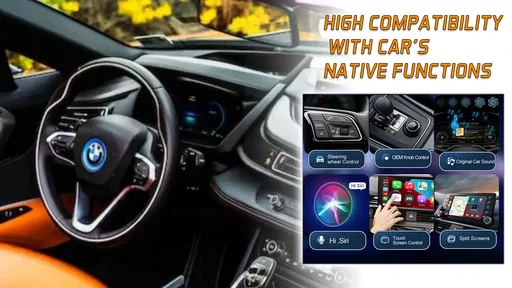
Our Review of Car Auto Sync for Android
 Analysis by Appyee
I’m cautious about any app that promises to make car life effortless, because useful driving tools still need to fit the way someone actually uses a vehicle. Car Auto Sync is an Android app in the auto and vehicle category, built around keeping driving-related information close at hand. Its appeal is straightforward: less mental juggling between car tasks, parking, speed awareness and safety reminders. I’d consider it for someone who wants a simple companion on their phone, rather than a replacement for a dedicated navigation system or the car’s own dashboard.
The idea matters most when it supports a practical routine. A driver might want to keep track of where the car was left, check speed during a trip, or have an emergency contact workflow ready before setting off. Those are different jobs, and they are most helpful when prepared while parked. My main advice is to treat the app as a support tool: set up what you need before driving, then keep your attention on the road rather than on the screen.
What makes it worth considering
The useful promise here is that several small car-related tasks can live in one place. Instead of relying on memory alone, a driver can build a consistent routine around parking and trip awareness. That is a modest benefit, but it can be meaningful for people who switch between vehicles, park in unfamiliar places, or simply lose track of where they left the car in a large lot.
Its focus also gives it a different role from a conventional map app. Navigation software is designed to get you from one place to another, while a car companion can help with the moments around a drive: remembering the parked car, keeping an eye on speed, or preparing a way to contact someone if something goes wrong. I would not replace a trusted map or the vehicle’s existing safety systems with it; I see the better case as using it alongside those tools.
Where it can fit into an ordinary day
Imagine arriving at a busy shopping centre, parking on a level you rarely use, and heading inside with several errands on your mind. A parking record can be more useful than telling yourself you will remember the bay later. Before leaving the car, take a moment to save the relevant details and check that the information is clear enough to recognize on the way back. That small habit is more dependable than trying to reconstruct the location after a long visit.
For a regular commute, I would make the safety preparation part of the same parked-car routine. Review any settings you intend to use before pulling away, and avoid fiddling with the phone while moving. Speed information can support awareness, but it is not a reason to glance down repeatedly or to disregard the vehicle’s instruments and posted limits. The app works best when it reduces mental clutter rather than adding another screen to monitor.
Who is likely to get the most from it
I can see the strongest fit for drivers who want a lightweight, phone-based aid for everyday car organization and are comfortable taking a moment to set things up. It may suit someone who often parks in unfamiliar places, shares driving duties, or wants a prompt to think ahead about emergency communication. The app is free to install, is rated for Everyone, and has an average rating of 4.2 from around 1,300 ratings, which gives prospective users some context without proving that it will suit every phone or driving routine.
There are good reasons to choose something else. If your main need is turn-by-turn directions, a mature navigation app is the more direct option. If your vehicle already provides the specific parking or driving information you need, using its built-in system may be simpler. And if you prefer not to manage car tasks on a phone, a paper note, the car’s own display, or a familiar calendar reminder may be less distracting. I would not install this expecting it to diagnose vehicle problems or replace professional maintenance advice.
Practical trade-offs before you rely on it
A few habits can make a car utility app more dependable. First, decide what information you actually want from it instead of trying to turn every drive into a tracking session. Second, check that any parking note is useful in context: a level, section, or nearby landmark is easier to act on than a vague reminder. Third, make sure the emergency-contact setup is ready before a trip, not something you are learning to use under stress. These are simple steps, but they address the real weak point of tools like this: their usefulness depends on a driver remembering to prepare them.
There is also a trade-off between convenience and attention. Keeping driving information on a phone may feel tidy, but even a well-designed screen can compete with the road if used at the wrong moment. I would set things up while parked, use hands-free options only where they are appropriate and legal, and stop safely before changing settings. If an alert or reading feels confusing, do not try to interpret it while driving; pull over first.
The Android release is version 3.1.0 and supports devices running Android 8.0 or later. One Music Player is the developer, and the app has passed 500,000 installs. Those details make it easy to see that it has attracted a sizable audience, but compatibility and personal fit still matter more than download totals. I would check that my phone meets the OS requirement and consider whether I’m comfortable with optional in-app purchases, which range from $0.99 to $99.99 per item, before making it part of a regular routine.
Getting Started with Car Auto Sync
The first thing that caught my attention was the user-friendly interface of Car Auto Sync. Setting it up was a breeze! I just downloaded it from the Play Store, launched it, and was greeted with a slick, intuitive design. No confusing menus or unnecessary steps here. Just pure simplicity. Within minutes, I was ready to sync my devices with my car.
Features That Stand Out
Alright, let's get into the meat of it. The app boasts a bunch of features, but here are the ones that really stood out to me:
- Seamless Syncing: The app automatically syncs your car's data with your smartphone. Be it fuel consumption, mileage, or maintenance reminders, everything is just a tap away.
- Custom Alerts: I love how you can set personalized alerts. Need a nudge when it's time for an oil change? Done. Tire rotation? Covered. It's like having a personal assistant that only cares about your car's health.
- Data Visualization: The app presents data in a neat and visually appealing manner. Graphs, charts, you name it. It's not just about numbers; it's about making sense of them.
Real-World Usage
After setting everything up, I took my car for a spin to test out the app's capabilities. The syncing process was as smooth as butter. I didn't have to constantly check my phone; the app worked quietly in the background, updating data in real-time. It's like magic, but with a tech twist.
One thing I noticed was how much more organized my car maintenance became. No more missed service appointments or surprise repairs. The app kept everything in check, saving me time and potential headaches.
What Could Be Improved
While Car Auto Sync is pretty impressive, no app is perfect. I did run into a couple of minor hiccups. The syncing feature, though generally reliable, had a slight delay at times. It wasn't a dealbreaker, but something to keep in mind if you're a stickler for real-time updates.
Another thing is the lack of integration with certain older car models. If your car isn't equipped with the latest tech, you might face some limitations. But hey, if your ride is relatively new, you should be good to go.
Final Thoughts
Overall, Car Auto Sync is a fantastic tool for anyone looking to streamline their car management process. It's easy to use, packed with useful features, and genuinely makes life a little more convenient. If you're like me and love having everything organized and at your fingertips, give this app a shot. It might just become your new best driving buddy.
So, are you ready to take the plunge and sync up your car life? Trust me, it's worth it! Head over to the Play Store and check it out.
How I’d decide whether to keep it
I would judge the app by whether it makes a repeated task easier after the novelty wears off. For a week or two, notice whether you actually use the parking and driving tools, whether the information is clear when you need it, and whether opening the app adds friction to your routine. If it becomes one quick step before or after a trip, it is earning its place. If it creates another thing to check or maintain, the phone’s built-in reminders may be a better fit.
It is also worth separating convenience from certainty. A saved car location is a helpful reference, not a guarantee that every detail will be correct in every parking situation. Likewise, speed readings and reminders are aids to awareness, not substitutes for careful driving, the vehicle’s instruments, or a mechanic’s judgment. Keeping those boundaries clear lets the app support a routine without asking it to do more than a phone-based tool should.
A grounded recommendation
My overall view is favorable but measured. The combination of parking help, speed awareness and emergency email preparation gives this Android app a more specific purpose than a generic car log, while the maintenance and data-display functions described in the app make it attractive to drivers who like organizing vehicle details. The best results will come from a person willing to configure it calmly and use it as a companion, not from someone expecting a completely hands-off system.
For a driver who wants those functions gathered on a phone, it is reasonable to try the free download and see whether it fits. I would be more cautious if my car is older, if I rely on a particular built-in system, or if phone interaction tends to distract me. In short, it is worth considering for practical organization and peace of mind, provided I keep its role modest: helpful between trips, never something that takes attention away from the drive.
Verdict
Strengths of Car Auto Sync for Android
- Easy setup with intuitive interface.
- Supports multiple car models seamlessly.
- Real-time data syncing is reliable.
- Customizable notifications for alerts.
- Minimal battery consumption.
Limitations of Car Auto Sync for Android
- Limited offline functionality.
- Some features require premium subscription.
- Occasional connectivity issues.
- Interface could be more visually appealing.
- Lacks integration with some older car models.
Other Releases by One Music Player
View All
Universal Tv Remote-Cast to TV
House & Home4.1

HD Camera for Android
Beauty4.5

Smart Watch - Clock Wallpaper
Personalization4.6

AirTag Scan: Bluetooth Tracker
Tools4.5
Similar Picks in This Category
View All
Android Auto
Google LLC4.1

maxim — order a taxi & food
PT. SITO4.7

Штрафы ГИБДД: проверка с фото
Pays LLC – Штрафы ГИБДД4.7

Номерограм – проверка авто
Авто Ассист4.8

Дром Авто
Дром4.9

Frequently Asked Questions
What is Car Auto Sync and how does it work?
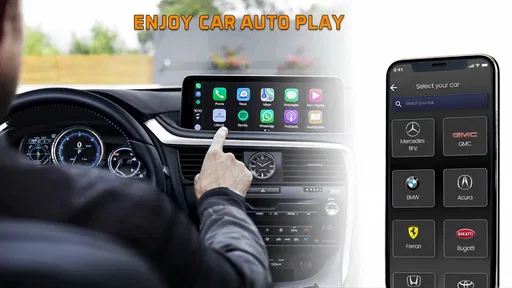
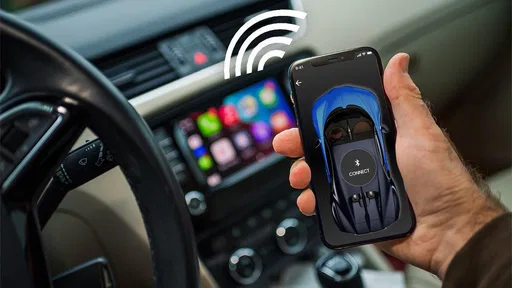
Car Auto Sync is an app designed to seamlessly connect your Android device to your car’s infotainment system. It allows users to synchronize contacts, music, and navigation settings for a more integrated driving experience. Using Bluetooth or USB, it ensures a smooth transition between your phone and car, enhancing convenience and safety.
Is Car Auto Sync compatible with all car models?
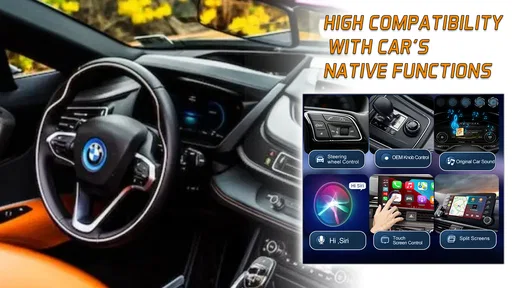
Car Auto Sync is compatible with most modern vehicles that support Bluetooth or USB connectivity. However, compatibility may vary depending on the car's make and model. It's advisable to check the app's compatibility list or consult your car manufacturer to ensure seamless integration and avoid any functionality issues.
Does Car Auto Sync require an internet connection to work?
While Car Auto Sync does not require a constant internet connection for basic functionalities like syncing contacts or music playback, certain features such as real-time navigation updates or voice commands may need internet access. It's recommended to have mobile data or Wi-Fi enabled for optimal performance and access to all features.
What are the privacy and security features of Car Auto Sync?
Car Auto Sync prioritizes user privacy by implementing strong data encryption protocols. The app only accesses necessary information like contacts and media files, and it does not store personal data on external servers. Users are encouraged to review permissions and adjust settings to ensure their data remains secure and private.
Can I customize the settings in Car Auto Sync?
Yes, Car Auto Sync offers a range of customizable settings to tailor the app to your preferences. Users can adjust audio settings, notification preferences, and navigation layouts. Customization options are designed to enhance user experience and ensure the app works efficiently according to individual needs and driving habits.
